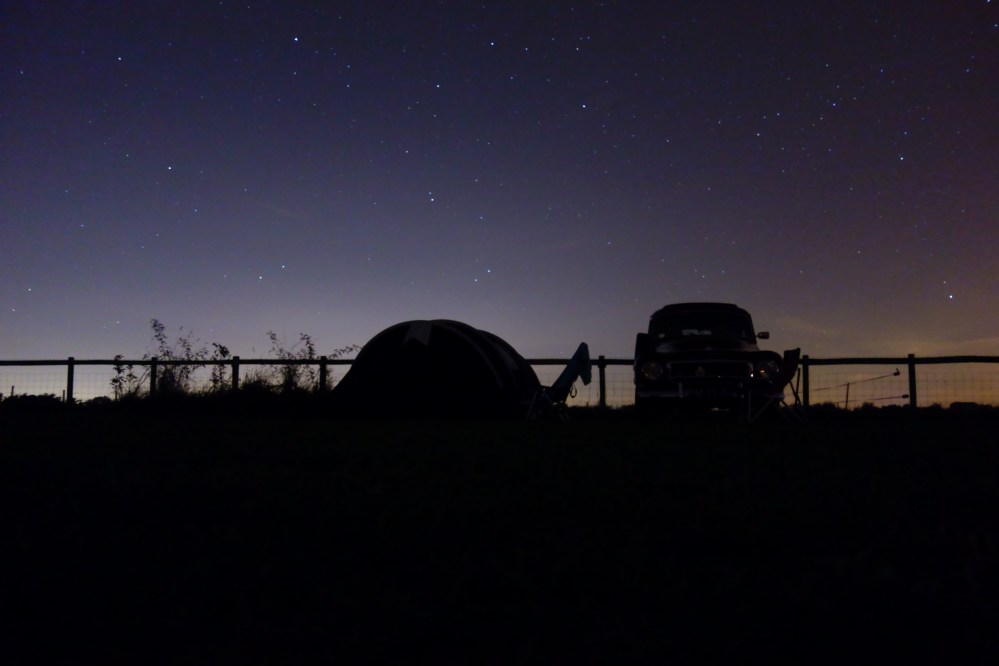
Filming with the Fujifilm XT2- How To Fake a LOG Profile.

If you want a great mirrorless video camera, do not buy the Fujifilm XT2. Instead, within the price range of the XT2, buy either the Panasonic GH5 or the Sony A6500. If you bought the Fujifilm XT2 because it is a far better stills camera to the two suggestions above, in this blog post I’m going to tell you how to get 85% of the video quality of a camera like the GH5 by altering settings during filming and post production with the Fujifilm XT2.

Why does the Fujifilm have great potential to be a good video camera? There are a few essentials that a video camera must have, in my opinion, to make it have the best possible quality:

Assets the Fujfilm XT2 does have for video:

  • 4K video recording
  • A high enough recording bitrate (100 mbps)
  • No moire/ alliasing
  • Passable rolling shutter
  • Extremely sharp video (4K downsampled from 6K)

Assets the fujfilm XT2 does not have for video:

  • Internal log recording

Yes, that is genuinely my only complaint when it comes to the camera’s video recording capabilities, and thankfully it’s a feature that can somewhat be compensated for. As far as I’m concerned, trying to replicate the video you get from extremely expensive movie cameras is my goal when filming. While there are thousands of differences between my portable mirrorless camera and an Arri Alexa film camera, for me it’s dynamic range and colour that gives footage from movie cameras such a pleasing look, and these are the two things that I’ve been trying to improve with my Fujifilm XT2. The first stage in doing this is by faking a log profile with in camera settings. If you are not familiar with log video, it’s a picture profile found in some cameras which decreases the contrast and saturation of the captured video dramatically so that you can choose after you film where the contrast in the video should lie. When shooting in non log, the look of the footage is “baked in”- the black parts (shadows) will always be black and the brightest parts of the frame will always be bright. With log video, you can alter the exposure and colour of video with far greater freedom (much like raw photographs).

An example:

This is a simulated log video frame (you can see it is almost black and white with very little contrast):
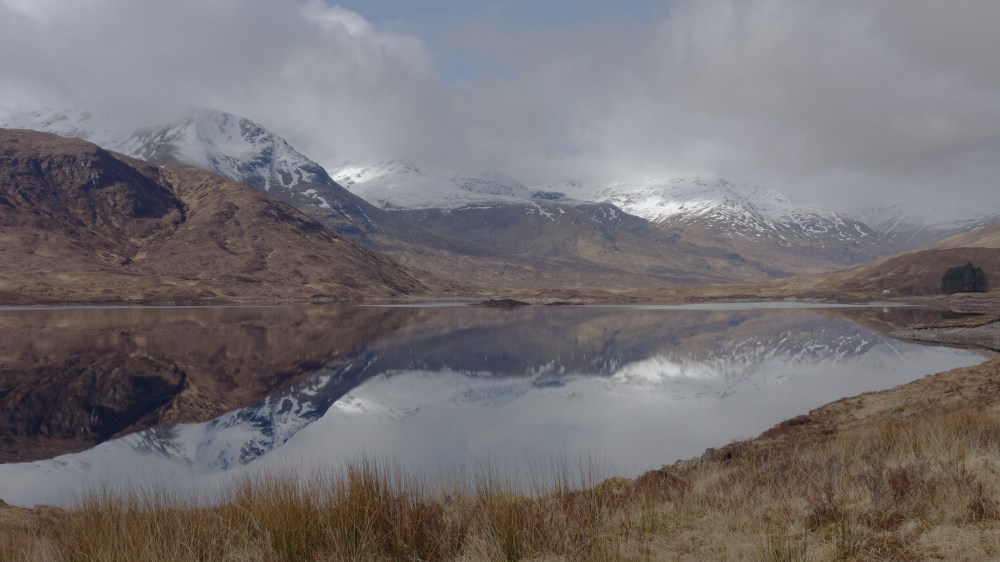
log

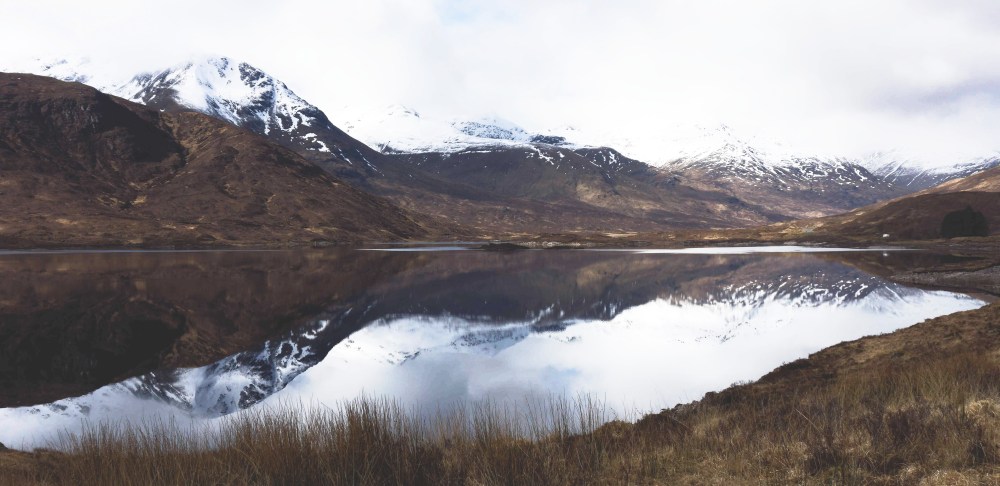
Now in editing I have been able to add lots of contrast, especially increasing the brightness of the mountains:
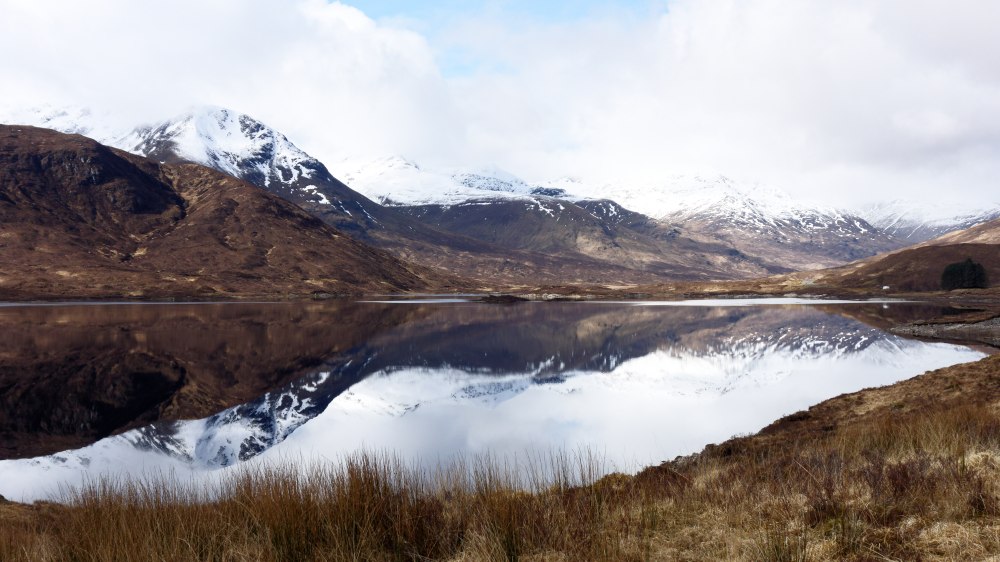
log edited

Now, here is the non-log (straight out of camera) video frame:
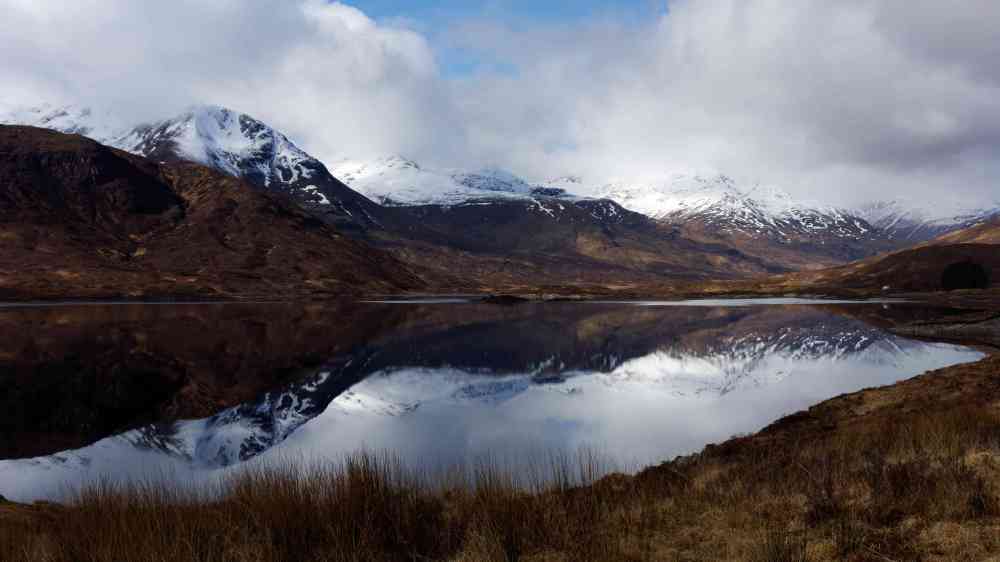
DSC07679_Edited2-1.jpg

And here it is edited to look like the edited log frame:
sooc edited-edited

Because there is so little information in the shadows and highlights of the image, when trying to increase the brightness of the shadows to replicate the desired image, all that is being done is increasing black level threshold – not actually recovering information from the shadows but just making the shadows appear greyed out.

So, now you know the benefits of log video, how can you replicate it with an XT2? Here I’m going to show you how to make a custom setting you can access in the quick menu which has a particularly flat picture profile.

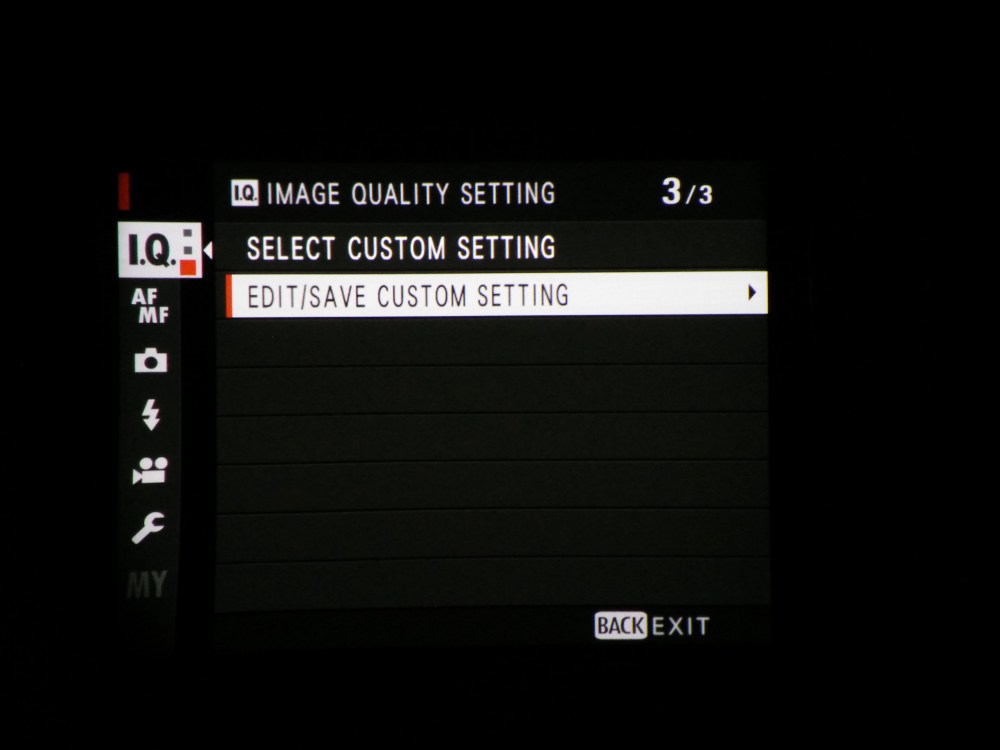
1) Press the menu button and on the IQ page scroll down to page 3. Now click on the highlighted  option.
IMG_20171228_172733

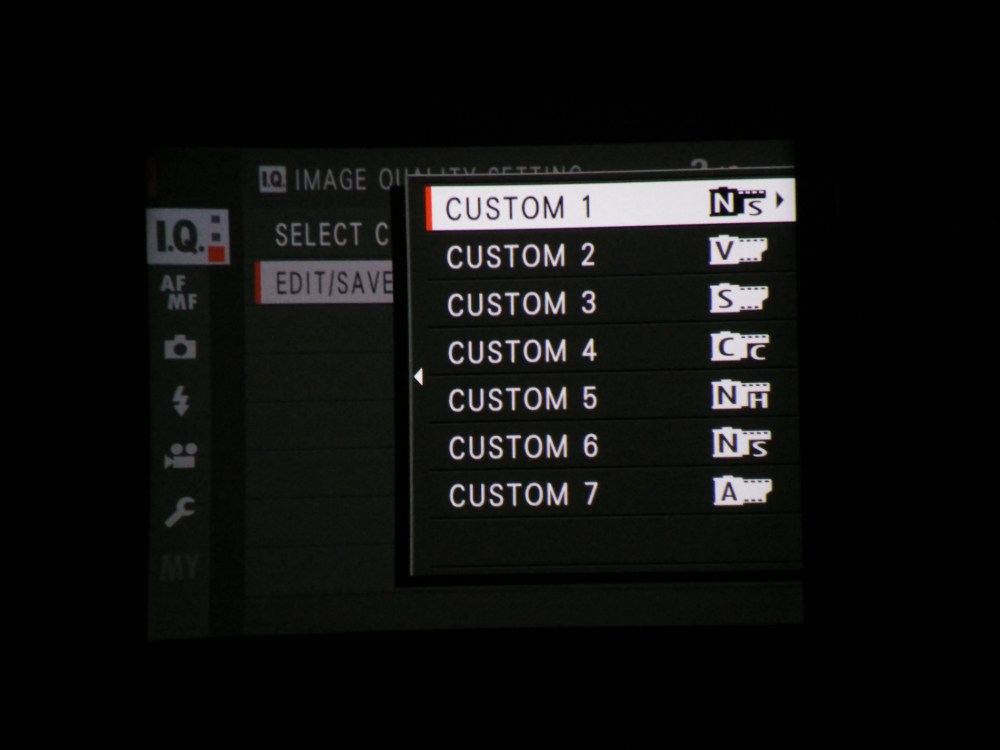
2) Now choose a quick menu page to edit the settings of. I chose “Custom 1”
IMG_20171228_172652

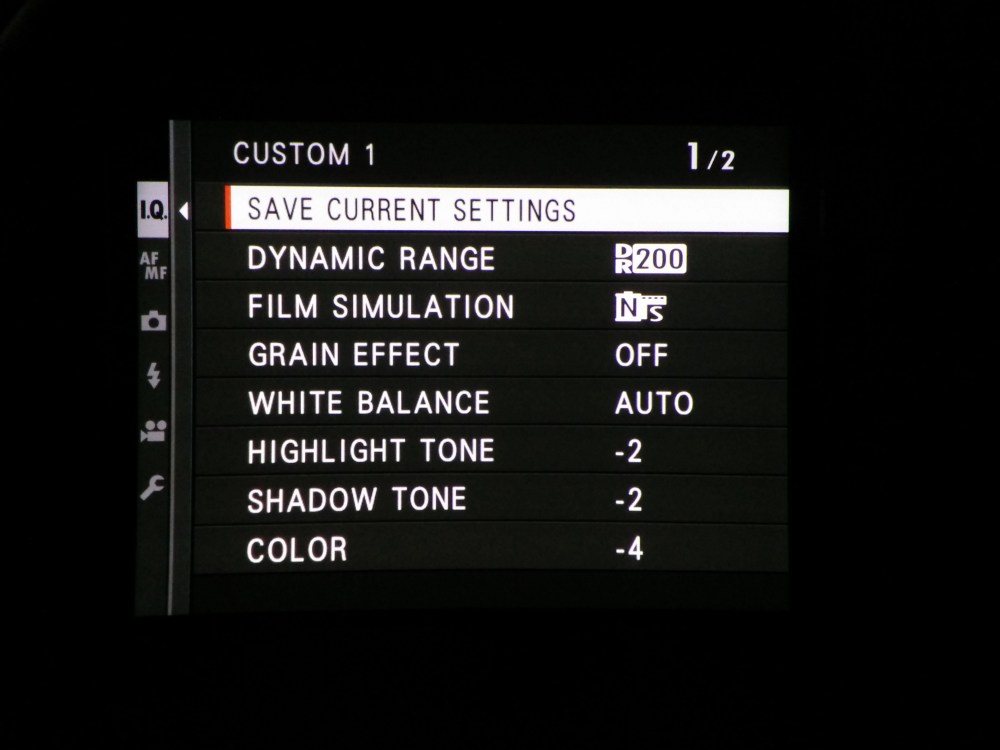
3) After that, change the settings to correspond to the ones I have here (note, the dynamic range setting does not apply in video mode). Changing to the Pro Negative Standard film simulation setting gives the image decreased contrast and reducing the highlights, shadows and colour to their minimum setting means that the image will even more closely resemble log footage. Sometimes I just use the standard film simulation depending on how much effort I want to put in grading the footage.
IMG_20171228_172753

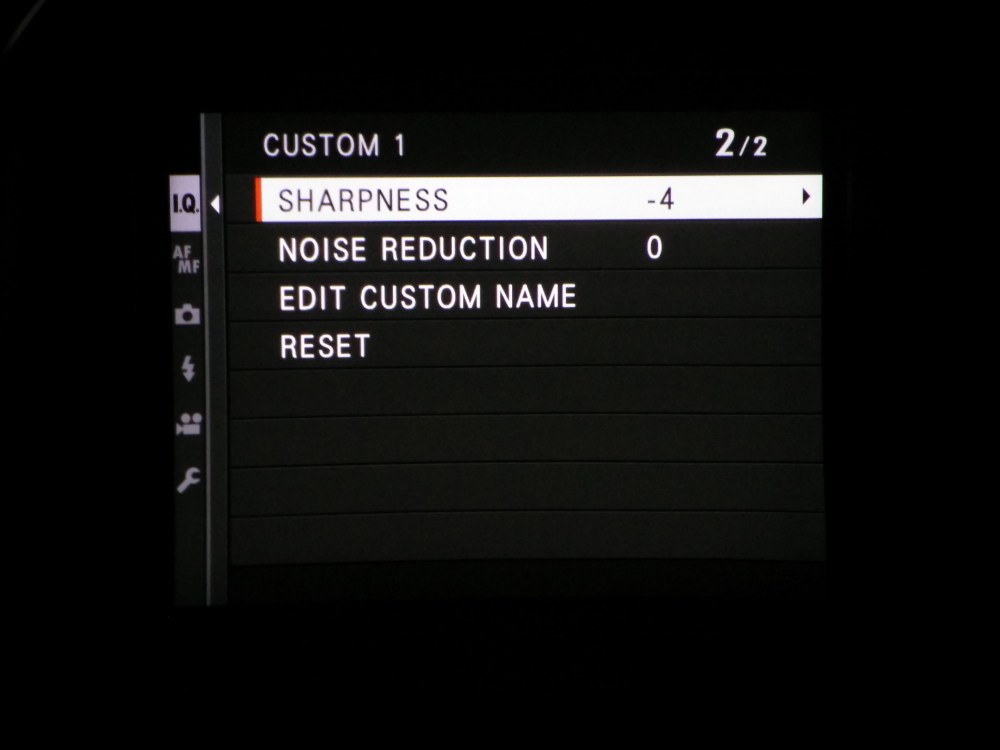
4) On the second page, turning down the sharpness to -4 is a good idea. Firstly, in camera sharpening is always awful and is easily added in post to a much higher quality. Secondly, the over sharpened video that is usually captured on consumer cameras more resembles cheap T.V breakfast shows than a high production budget film, therefore decreasing the sharpness gives the video a far more filmic appearance.
IMG_20171228_172807

Tips for whilst you’re filming:

  • As you probably know from photography, it is far easier to recover data from shadows than data from highlights. Therefore, it is a good idea to always beware of clipping highlights whilst filming as “blown out” highlights can be very distracting to watch.
  • Always have your camera’s shutter speed set to double the frame rate number. This means that if the camera is filming at 30 fps, your shutter speed should be at 1/60th. You should be altering the ISO and aperture when you want to change the exposure
  • If you are setting the camera up in position for an interview, for example, set the white balance manually. If the camera is set to auto white balance, it may change between shots meaning that the colours of two shots which you want to be identical, are not.
  • Sometimes you do not need to use this custom profile we have put in the camera, if there is very low contrast or high contrast which you wish to keep in the final look of the video, just stick to one of the film simulations baked into the camera.

How to edit log video:

You need a video editing software that is able to do colour correction/ grading. I use Da Vinci Resolve but Final Cut Pro X and Premier Pro both have the facilities needed. While I am definitely not the correct person to learn colour correction/grading from, I know the very basics which I have been using to grade footage for a while now with some quite pleasing results. I’m afraid it’s not easy but it’s very rewarding once you get the hang of it. Here’s the tutorial I first learnt from:

After correction and grading, you may wish to add a small amount of sharpening in your editor to finish.

Recap:

  • The Fujifilm XT2 has many things that could make it a great video camera, with the one large emission of in camera log recording
  • Therefore, make a custom picture profile in the way explained to decrease the contrast and saturation of footage
  • Edit the exposure and colours of this footage in post production in order to hopefully end up with footage which has increased dynamic range in comparison to the stock video settings.
  • Don’t oversharpen footage, it will look awful
  • Film in 4K at either 24 fps for a more filmic look or 30 fps for more TV looking footage
  • Test out everything I have recommended here before using these settings for anything important, make sure you know exactly what you’re doing

If you have any questions I’d be delighted to answer them,

Nick.
Are vintage lenses actually any good?

Recently I decided to spend absolutely all of my money on a fancy new camera – a Fujifilm XT2 – which I have been very happy with up to this point. I probably won’t review this camera as there are plenty of great write ups out there and my opinion doesn’t really matter. Instead, I’m going to cover the experimentations with vintage lenses that I have been carrying out over the last few months. I am no way an expert when it comes to old camera lenses, but I have learnt a fair few things that I will share with you in this post.

When I try to convince my friends that they should, too, purchase some cheap old glass – the main question I get asked is “will it even fit on my camera”? – the simple answer being probably yes. If you have a mirrorless camera like my Fujifilm XT2, you can fit any lens on it with an adapter. Why? For camera lenses to focus to infinity, there needs to be a particular distance from the rear lens element to the sensor of the camera- known as the flange distance. Mirrorless cameras have a very short flange distance which means that to make a vintage lens work, the only thing you need is an adapter which increases the distance from the rear lens element to the sensor, which is just a metal tube. If you have a DSLR, you can still get these adapters, but because of a DSLR’s relatively large flange distance – you may come across some issues with focusing to infinity – but if you need that (landscape photography), you’re probably better off switching to using a non adapted lens.

What adapter do I get for my camera?

So, you’ve bought/ are looking at a new lens but have no idea how to actually fit it to your camera. There are four main camera mounts which you may find yourself adapting to.

  • M42 screw mount (many many old lenses use this mount and, as the name describes, they screw into your camera.

DSC00659

  • Pentax, some old lenses may have a Pentax bayonet mount (PK mount). These will still fit on Pentax DSLRs and you will need an adapter for other cameras.

DSC00661

  • Nikon/Canon mounts. If you buy an old Nikon lens, this will have an F mount and will fit on new Nikon cameras and can be adapted to other cameras. If you buy an old canon lens, it will have a FD mount. You will need an adapter for this.

For all of the mounts listed above, simply just search on Amazon/Ebay for e.g M42 to Sony E Mount, and buy an adapter. Usually you can get most adapters for less than £10.

My lenses and what I think of them:

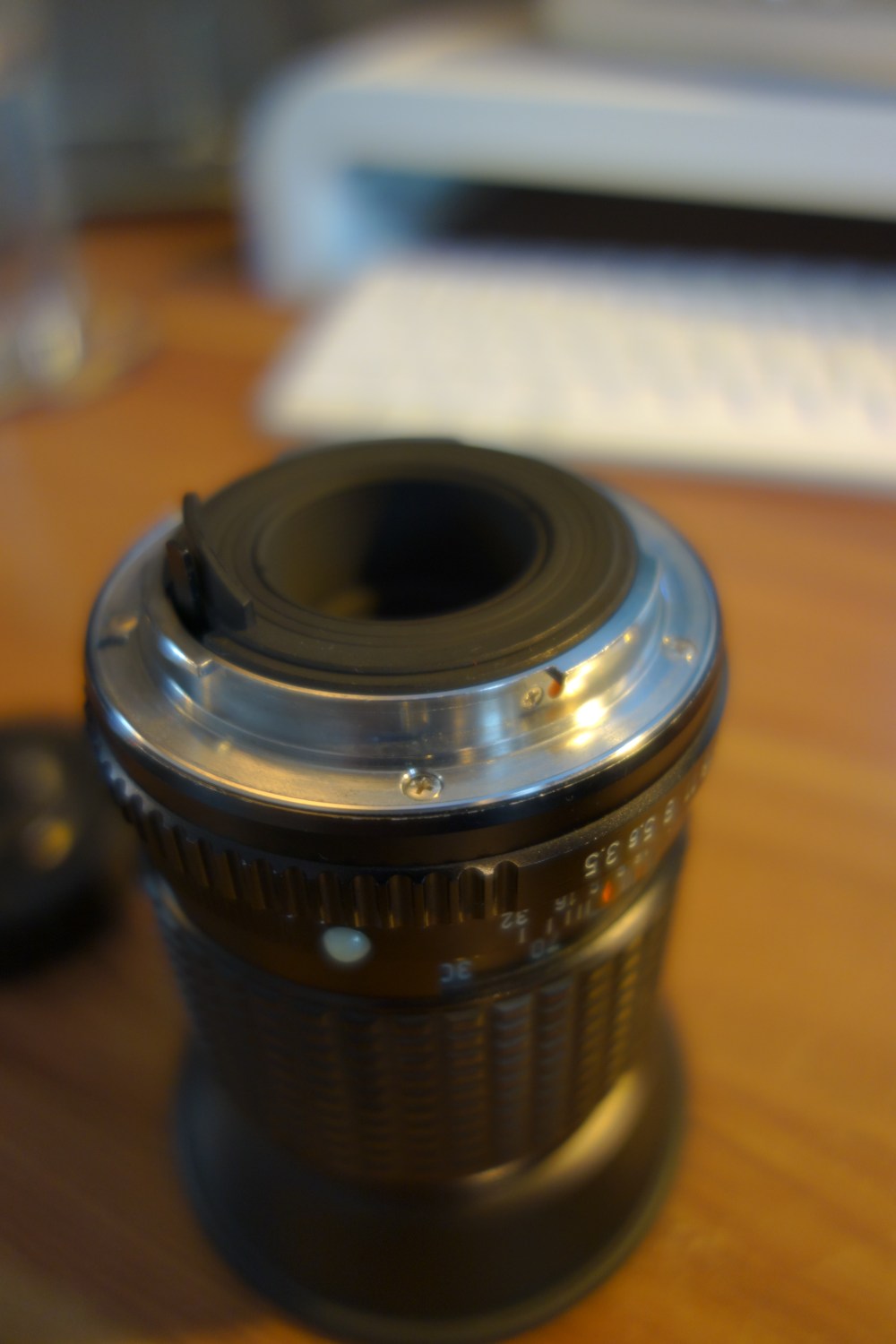
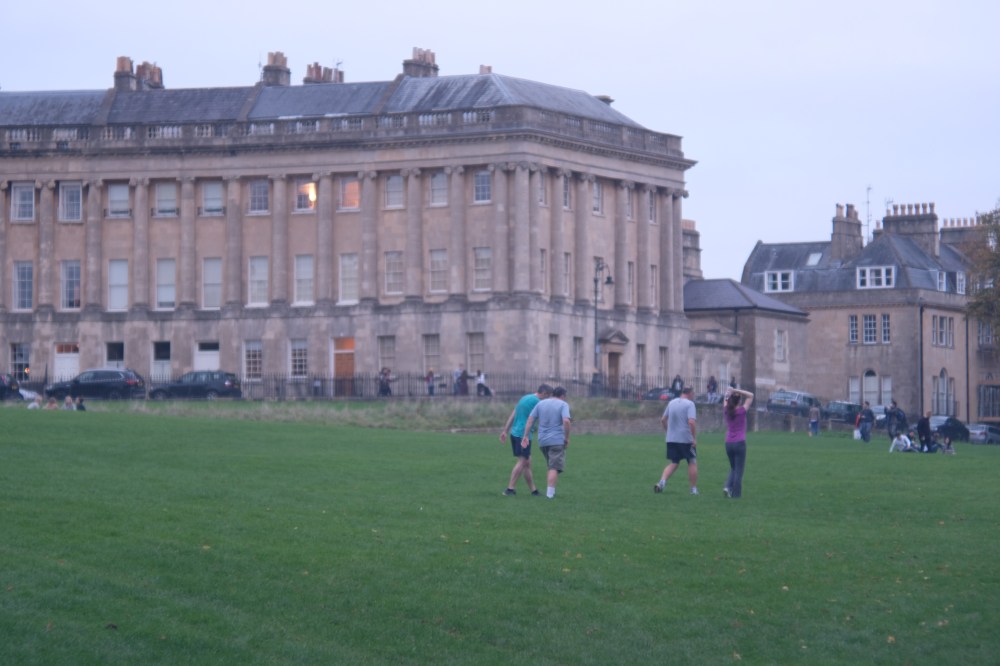
So far I have 3 old lenses that I have adapted to my Fujifilm XT2.  The first lens I bought was a 135mm Asahi Pentax f3.5. This has turned out to be a very impressive portrait lens, producing some really impressive sharp results even at f3.5. This lens cost me £5 and so far I am very happy with it. It is surprisingly light and small, extremely well built and the focus ring is still smooth. Pentax lenses are famous for being well built and very sharp. and during my research about this lens I found out that pretty much all Asahi/Pentax vintage lenses will give you great results – especially the Asahi 50mm F1.7 is supposedly very impressive.

DSC00663

DSCF5819

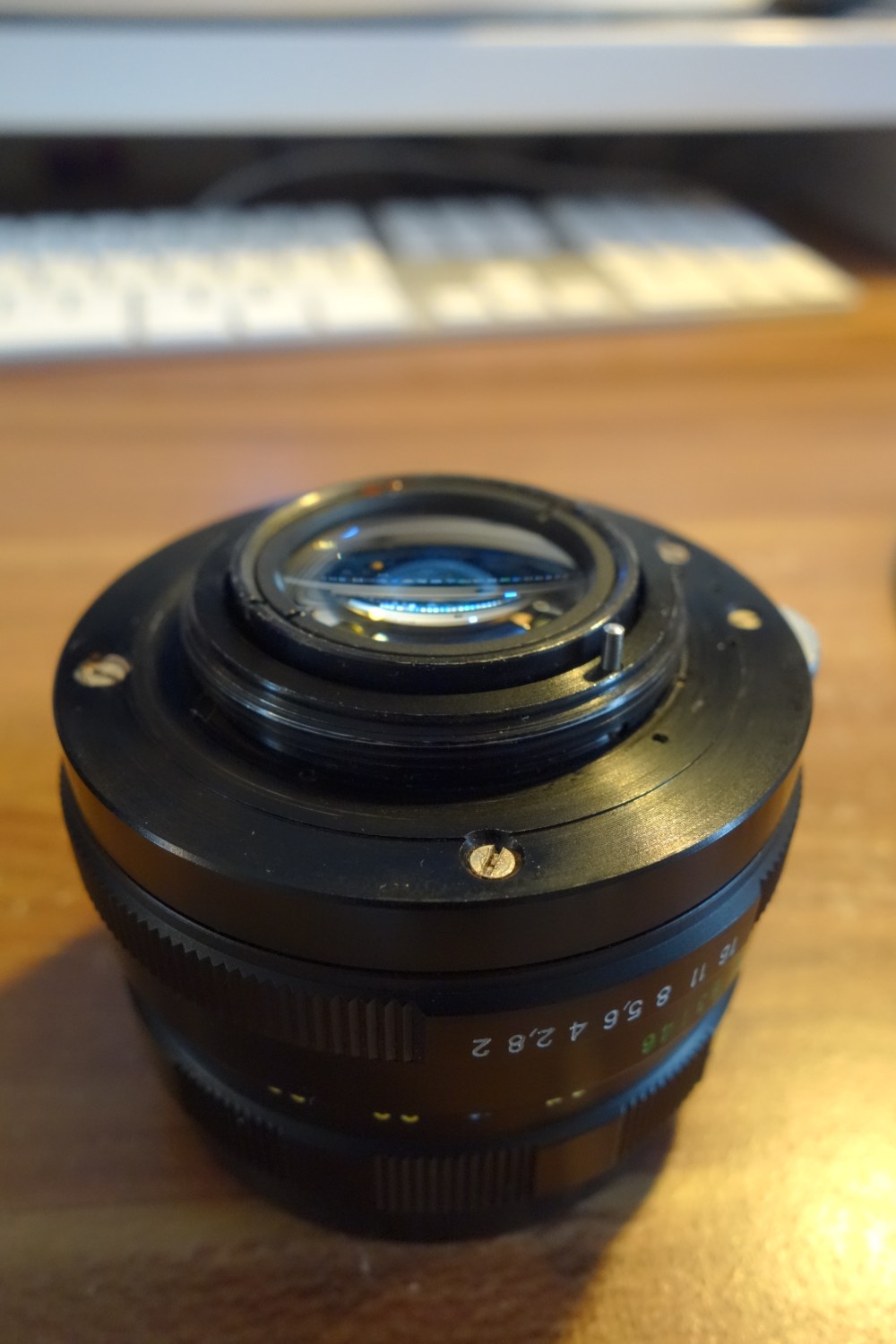
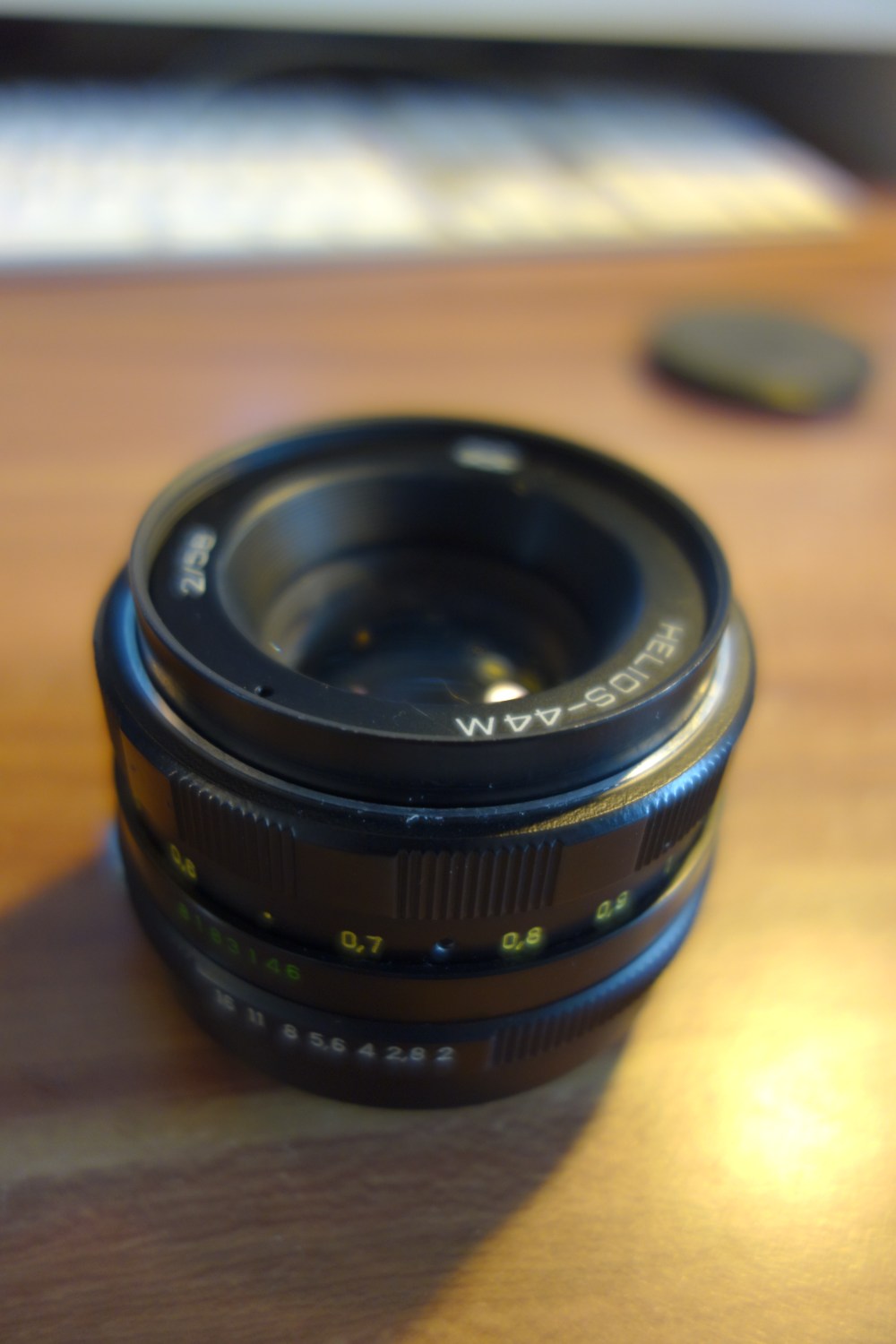
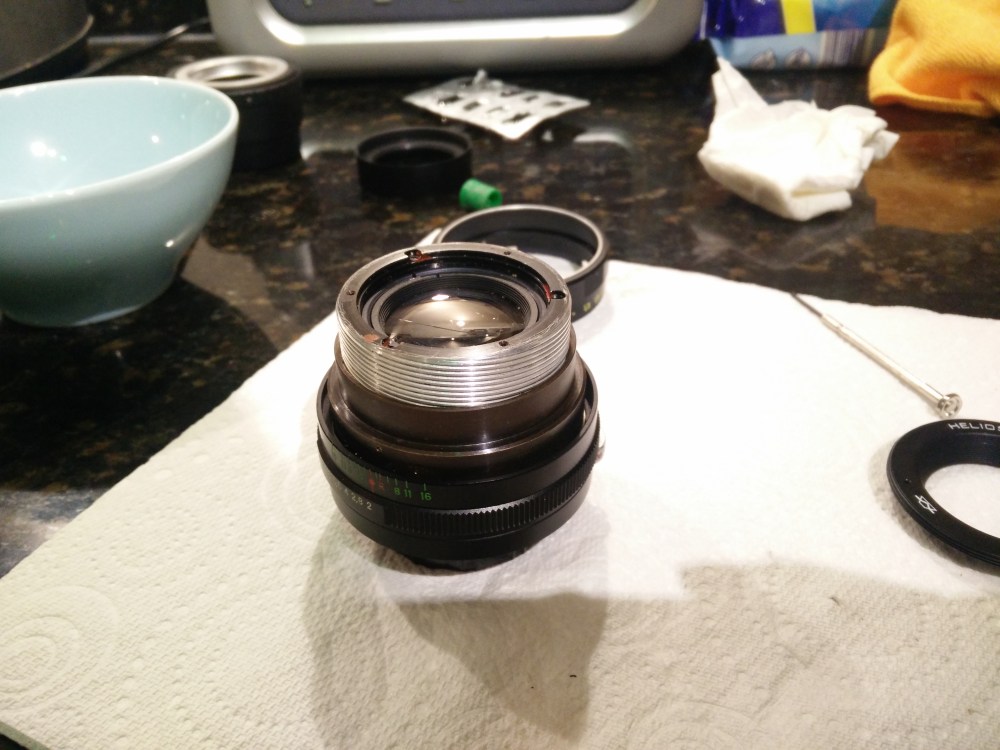
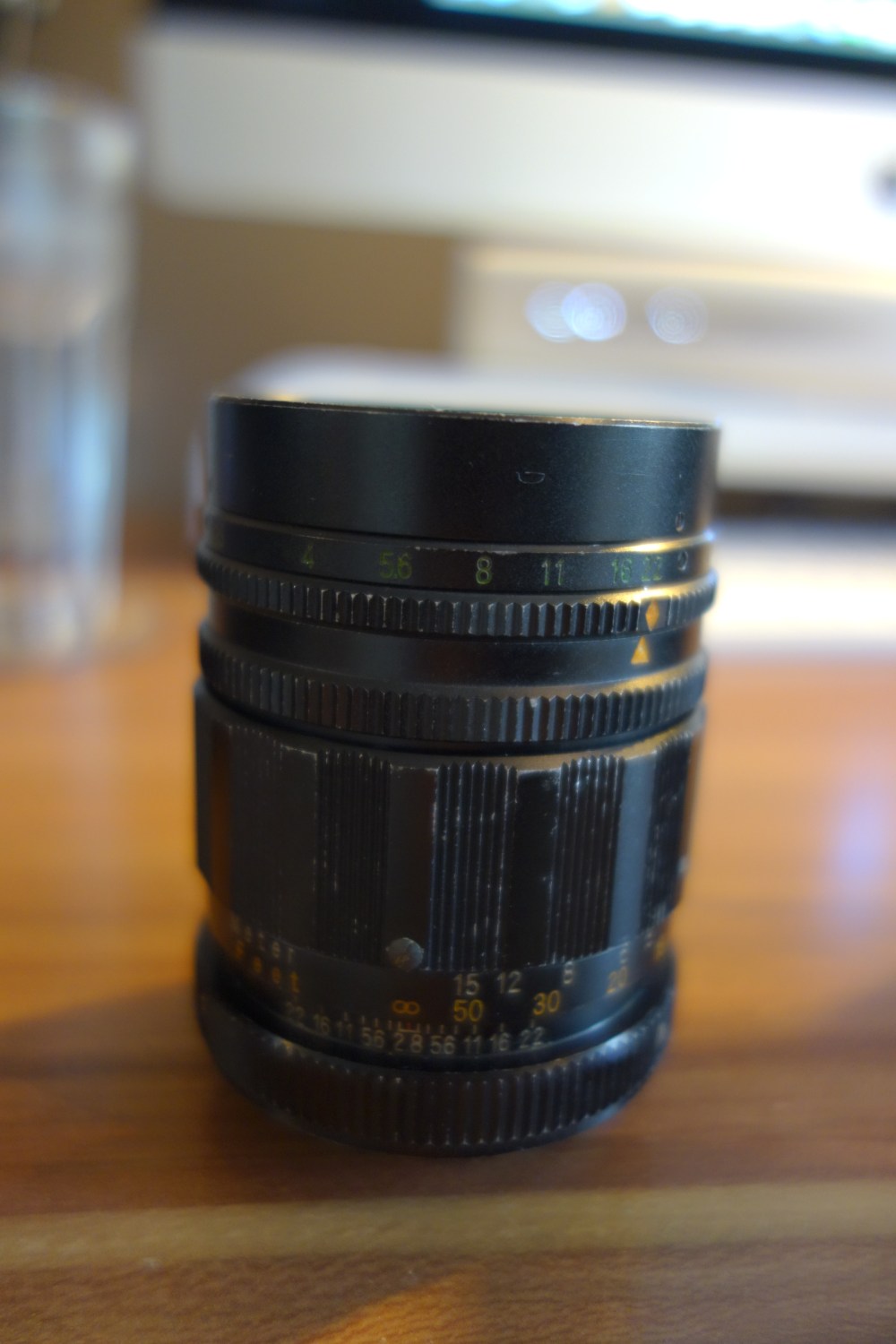
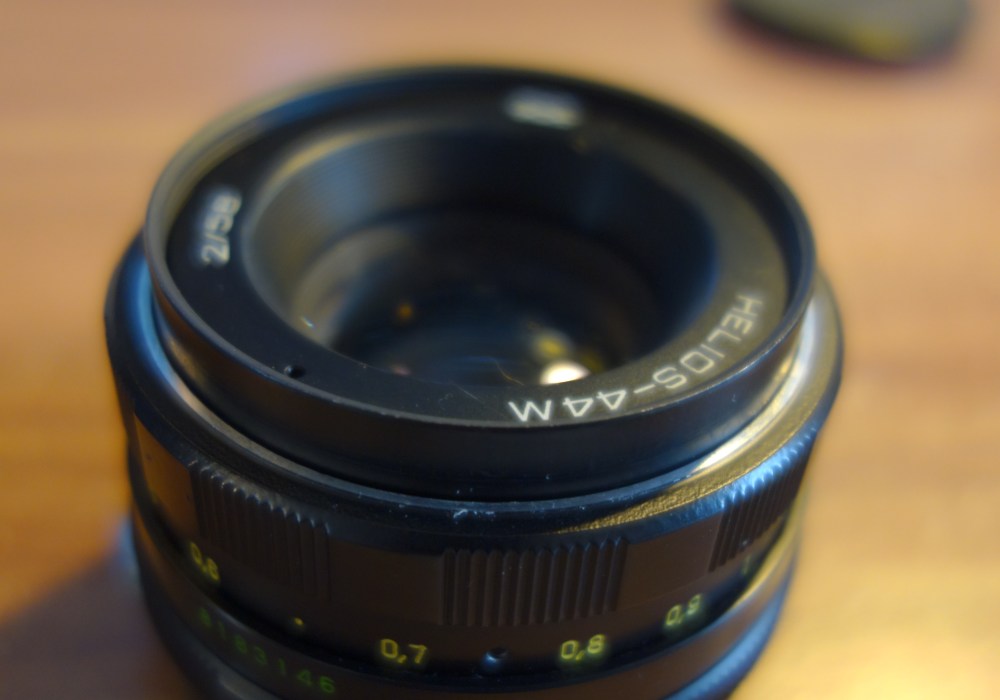
The second lens I got was a helios 58mm F2. This is another portrait lens which is famous for producing a particularly pleasing “swirly background” effect. While it is not very sharp at all at the edges, this does not really matter at all as usually your subject will be placed directly in the centre of the frame and the edges will be out of focus anyway. So far, this is the lens I am most happy with, giving me an optical effect which cannot be replicated by modern lenses, and only for £12.

DSC00662

DSCF8206 2


DSCF7363

Side note, I managed to get such a great deal on this lens as I made the mistake of choosing an example with a stiff focus ring – which I thought would be little effort to fix myself. Of course, this was not the case, resulting in me taking the whole thing apart- forgetting how to put it back together etc. Eventually after multiple hours I completed the job, ending with s silky smooth focus ring – but I probably should have just spent the extra £5 or so to get a lens which was already like this.

IMG_20170910_203421.jpg

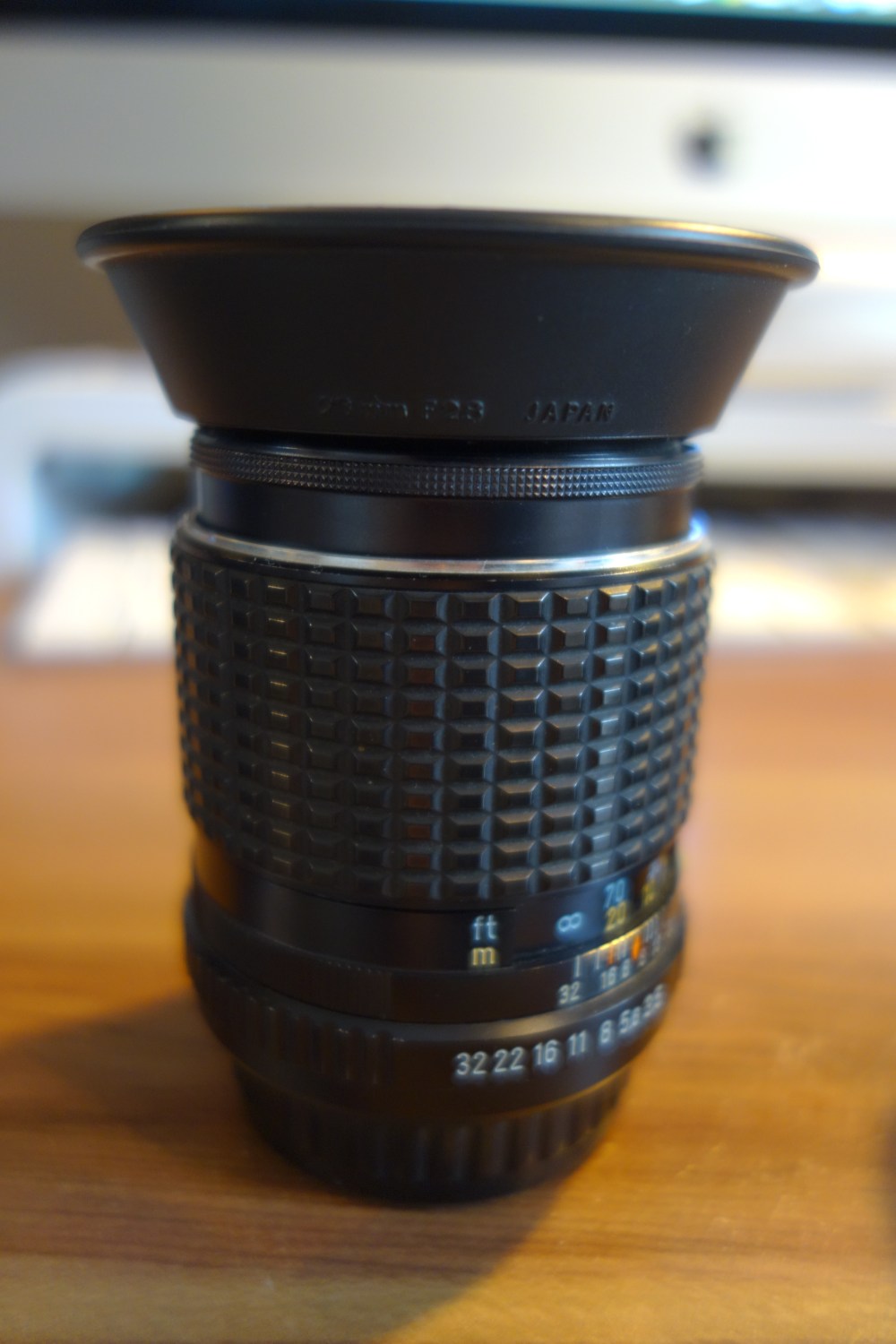
The third lens I have is a Soligor 105mm f2.8 which only cost me £2.50 from a charity shop. While the outside is a bit battered, it is optically clear and the limited testing I have done with it confirms it produces quite a nice image, albeit quite soft. 

DSC00664

DSCF7274

So, should you get vintage lenses? YES! The fact that I have been able to get three brilliant lenses for a tiny fraction of the cost of a modern lens – I would wholeheartedly recommend going on the search for some vintage camera lenses, especially the Helios 58mm which I am extremely impressed with.

Drawbacks? Some people complain about the fact that you have to manual focus these lenses, but to be honest, I would only use this sort of glass for non-moving subjects anyway, portraiture in particular. Combined with the fact that most new cameras nowadays have great manual focus assistance (focus peaking or image magnification assistance), manual focus is not something you can really complain about when getting such great lenses for such little money. Some people also complain about the limited sharpness some of these lenses offer, but I honestly think many of these complaints are not justified. Unless you start zooming into your photos, the softness is barely noticeable- and if you are the sort of person to be printing billboard size photos, you can probably afford some modern glass to get the pinpoint sharpness that you may well desire. 

When searching for any old lens there are a few things you need to look out for:

  • Is there any fungus? This can grow on lens elements in certain situations.
  • Is the focus ring smooth?
  • Are there any large scratches, particularly on the rear element? (Front element scratches don’t really show up in images)
  • Does it have radioactive elements? Some old lenses used thorium in their glass in order to increase the refractive index of the glass. While thorium is only an emitter of very weak radiation, I personally do not want to take the risk of using a slightly radioactive lens. (Check on this website: http://camerapedia.wikia.com/wiki/Radioactive_lenses)

If the answer to any of these things is no, then just look for another lens, there are so many vintage lenses in circulation, you are allowed to be picky and buy perfect examples that suit your needs perfectly.

Have any thoughts or questions? Feel free to leave a comment on this page.

By Nicholas Joinson.


Creative Series 1, Patience.

While arguably one of the easiest forms of photography to get stuck into, from my experience, it’s extremely difficult to take a truly spectacular travel photo. The thing is, unless you’re a professional photographer (which I am not), when you travel somewhere your sole aim is unlikely going to be to just take photos, meaning that it’s very difficult to take an “art worthy” photograph, that does not simply  count as a “snapshot”.

Here’s a bit more of an explanation on this, one photo I took time to set up, compose, and get my exposure settings correct on… a real photo, and one that I just hastily took… a snapshot:


Even though both of these images are taken of the same end of Lake Garda, albeit different times of day and different sides, it is clear to me which I prefer. I wish all of my 3000 images from my holiday turned out like the image on the right, but these two images illustrate a very important point when it comes to the quality of your photos. In general, I have found that the quality of your final image is directly proportional to the time invested in the photo. While there may be a few exceptions when you capture an amazing image, completely out of the blue, as a general rule, if you want to take good photos, you need to be patient. Another thing that I discovered is that patience comes in three main forms. Take the image on the left as an example, which I’d give a score of around 6/10 if we assume the one on the right is a generous 10/10. The patience for the right photo came in the form of setting my camera up on a tripod, framing the boat according to the rule of thirds (ish) and then attempting to get the correct exposure which took about 7 different photos. All in all, the photo on the right took about 5 minutes to capture in a way that made me happy. To improve the photo on the right, a different form of patience will have been required. While the surrounding area was completely beautiful, this photo is extremely boring, not showing off any of my photography skills. To improve this snapshot, then, I have a few options:

  1. Find a subject for the photo, this may be a tree, rock, wild animal, or human – just anything to put the vastness of the area into perspective and give the photo an extra interest
  2. Use an interesting technique with the photo, with this photo, for example, I was considering taking multiple images to stitch together in photoshop, a process I experimented with here last year (not to overwhelming success, but it’s a cool concept nonetheless):

Pano.jpg

3. The third obvious way to improve the photo on the left is probably the easiest, just come back at sunset. Easy, if you take a photo during the golden hour, it’s bound to be better.

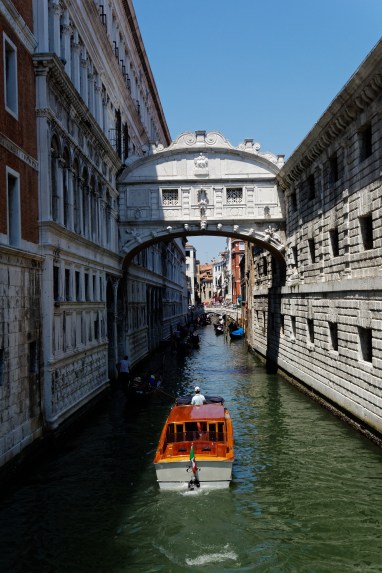
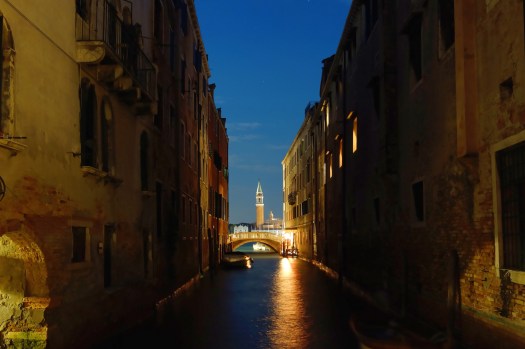
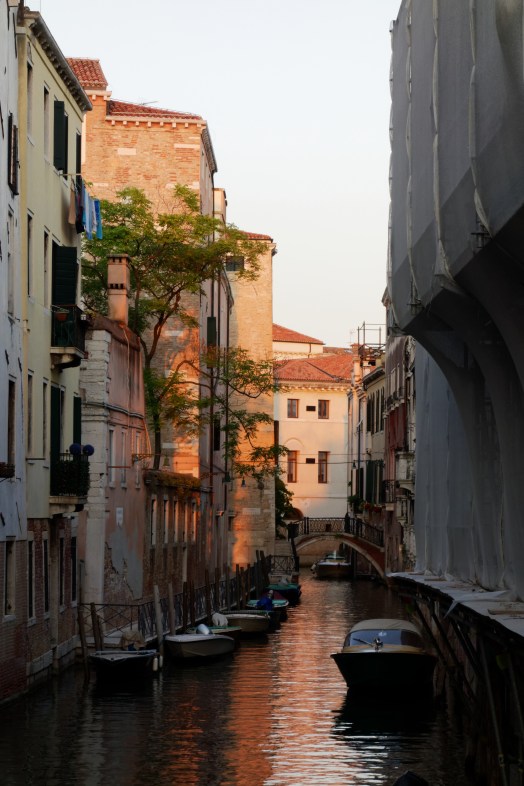
So, there’s one example of patience in a photographic situation for you, and here’s another. While I was in Venice, I knew that I needed to capture a photo of one of the city’s famous bridges, something that I found particularly difficult – with it being quite a clichéd image. In fact, I’m going to put my three rules above into practice and show you three photos:

  1. Find a subject for your photo:

35868169150_a105e607cf_o

Quite a simple tip, making for a photo that just about escapes the realms of the holiday snap, the subject in this image being the boat. To improve, I would have got down to the same level as the boat, zoomed into full and got the boat driver as the subject, perfectly placed underneath the bridge. That, however, was not quite possible.

2. Use an interesting technique for the photo, in this case, another night time long exposure:

35867926180_a13b802a27_o (1)

3. The final option, and the easiest to execute – taking the photo at sunset:

35428995034_4541655db9_o

Simple, while you have to be very patient if you want to stand in the same place, not moving until sunset- the emission of the harsh lighting that is prominent during the daytime creates a very pleasing aesthetic.

What have we covered in this hastily written article, attempting to have a central theme of patience then? Well, all in all, there are three things that elevate a snapshot to a proper photo; while my these rules are simply a few of the things that go through my mind before taking a photo – they all force myself to invest time into my images. So, if you take anything away from my ramble, the one word you need to remember is… Patience!

One more thing, I’m going to start a regular blog series in which I attempt to critique my reader’s photos – but… this will only happen if you lot cooperate. So, if you want me to write about some of your images (as many as you want to send me), just go onto my “info” page and send me a message.


How to use your camera: – Lesson One

Here’s the situation – you’ve just got a new camera but are too worried to leave the comfort of the automatic mode. Many professional photographers say that it’s all about the creativity; the camera doesn’t matter – they never say how that you actually need to know how to use your camera in the first place though. You may know a keen photographer who bombards you with technical jargon- F-Stop this, Bit depth that – the truth is that it really isn’t that difficult to get a hold of what this all means. All you need is a base level of knowledge and then you’ll find that everything else just falls into place, then you can be the one boring others with the minimal chromatic aberration that your new 35mm prime lens has…

Why learn from me? My creative ability may be questionable but I do know far too much about cameras, how everything works, what settings to use when and I’m hopefully not too boring. Questions can be sent on the contact section of this website.

How a camera works

First lesson – right now I’m assuming that you have very little knowledge on cameras, you know that there’s aperture and shutter speed settings on your camera but don’t really know what they do. I believe that the first step in learning how to use your camera is to understand how your camera, technically, works.

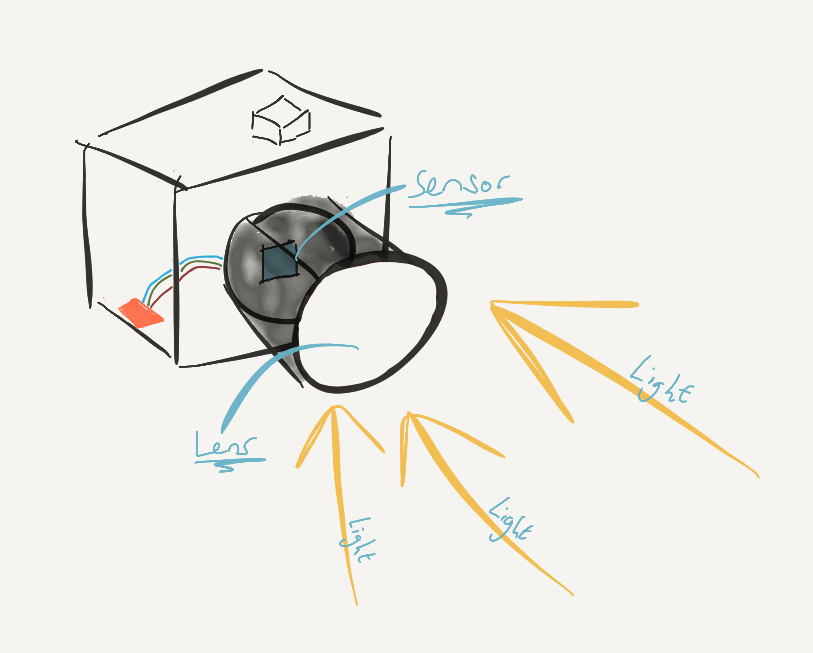
A Drawing:

untitled-1-copy

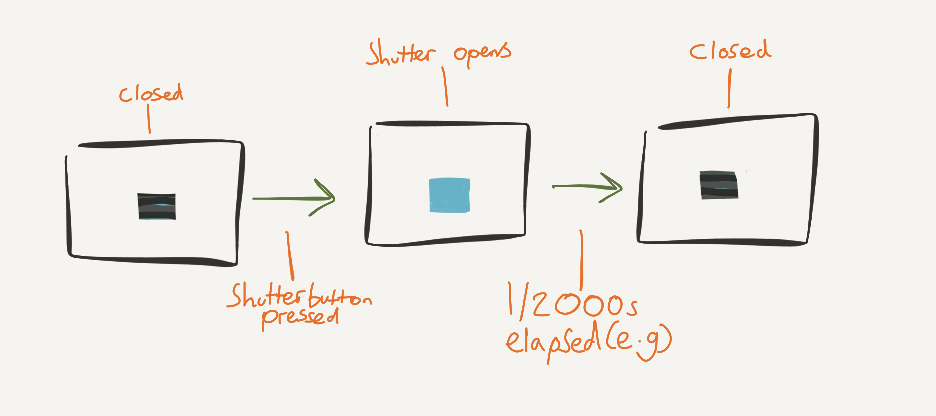
Light is sent through the lens of your camera, a shutter raises and the light is then sent into the sensor which converts this into an electrical signal. This signal is sent into the camera’s processor, then an image pops up on your screen. All of the main controls of a camera are to do with changing the light that your sensor receives. The main two are:

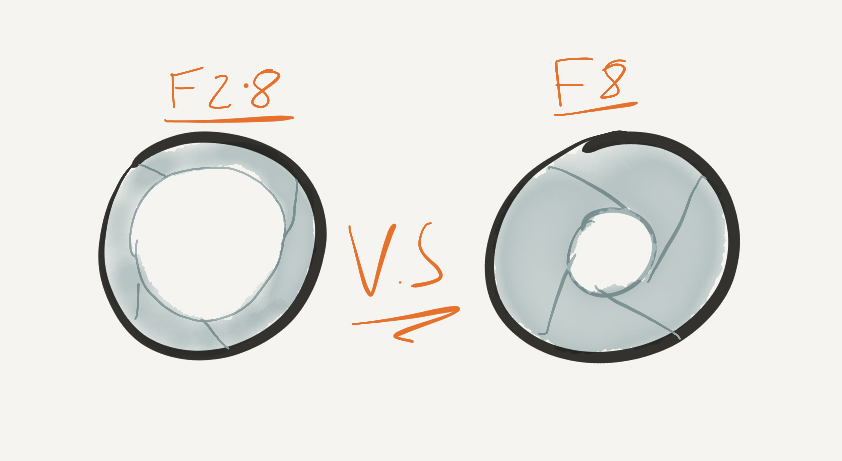
Aperture – changing the size of the hole in the lens to allow more/ less light in: can be as low as F1.2 and as high as F32.

untitled-2-copy

Shutter speed – the length of time that the shutter is open for, from 1/8000 of a second to infinitely long.

untitled-3-copy

By Nicholas Joinson.


How To Take Star Photos:

Photos of stars can be pretty cool; even with clear nights being a rarity in Britain, I try to take them as often as I can. A common misconception is that without a DSLR that you’ve had to remortgage your house to afford – there is no way of even thinking about taking a photo in the pitch dark. The beauty of star photos, however, is that you only need a camera with full manual control to get some very impressive results.

DSC09742.JPG

The premise of a star photo is that, rather than relying on the sensitivity of the camera’s sensor to amplify the natural light in the sky, you simply increase the length of time that a photo is being taken for (long exposure) to increase the light in an image – you therefore need a tripod, steady surface or super human powers to keep the camera still enough for the length of time needed.

How to actually do it:

It would be a lie if I said that there was a tried and tested formula for capturing a star photo,  there is an element of trial and error required concerning the actual settings – there are however a few general rules to follow:

  • Place your camera on a tripod
  • Use the lowest aperture on your lens
  • Use a wide angle lens
  • Use manual focus and set to infinity, then pull back slightly
  • Switch on long exposure noise reduction (if your camera has this option)
  • Start with ISO 1600
  • Start with a 8 second long exposure

The bottom two points are most important to consider here, ideally you want to use the lowest ISO possible with a very long exposure to counter. However as the exposure time begins to increase, due to the movement of the Earth, the stars begin to leave light trails which may not be appealing for your image. This effect is further worsened with a long focal length – so in order to retain the natural look of the sky, use a wide angle.

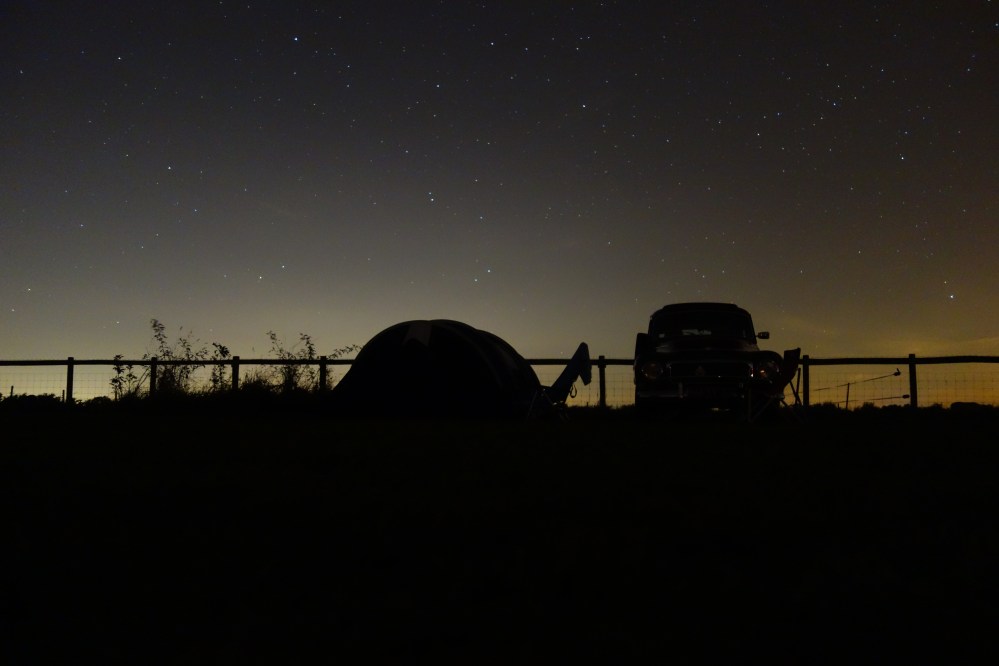
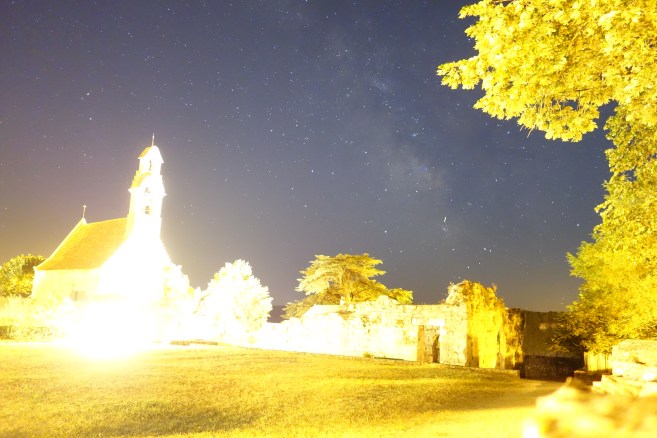
The trial and error comes in with your ISO and shutter speed. The settings above seem to work most times for me with an F1.8 lens- just play around with different combinations and see what gives you the best results. You have to be very careful, however, when raising the ISO – when doing this the sensitivity of all light is increased. Therefore, while increasing the brightness of the sky, you dramatically increase the brightness of anything else in your photo that already has some light on it. This means that when you include anything which isn’t the sky in your image it must be very dark or else it will become unappealingly bright with the high ISO. An example of this can be seen below.

Some examples:

dsc09569

This photo renders the sky very well, with an exposure time of 10 seconds. However, with the buildings and ground being lit in real life, an ISO of 1600 completely blows the highlights.

dsc09568

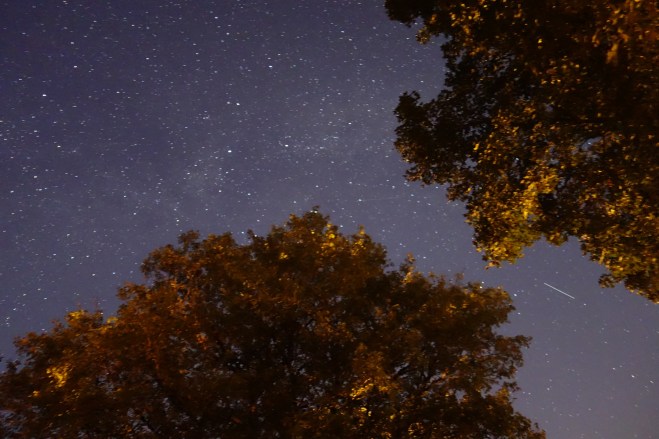
This photo was taken over 8 seconds with an ISO of 3200. The whole image is well exposed, however my choice of such a high ISO has made the picture very noisy. In this case, a longer exposure and lower ISO would have been better.

Raw or JPEG?

Now the age old question of whether to shoot in raw or JPEG format; in this situation I’d highly recommend choosing the option to shoot both. For example, you may be content with the JPEG that the camera has produced – leaving out the hassle of adding noise reduction or changing other settings afterwards. However, at night it is very unpredictable how a photo will turn out. The first photo in this blog is just the in camera JPEG, however, with little colour point of reference for the camera to work with at night time, it has turned out quite warm. With all information being stored in the raw file I am able to change the white balance and noise reduction:

EditedStarry.JPG

All the photos above were taken on a Mk1 Sony RX100. If you are seriously interested in night photography, i’d suggest a Sony A7sii – more camera information coming next week in the start of a “How to use your camera” series.

Nicholas Joinson.